Shipping within 21 business days
Check out all our European shipping rates

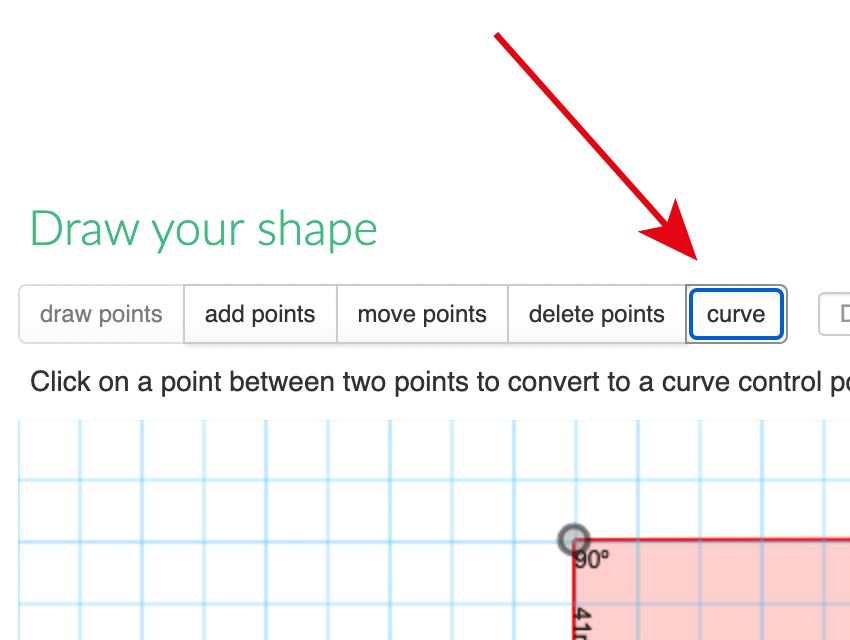
Creating a custom foam cutout with rounded edges or curved contours is now easier than ever. With the improved Draw Your Shape tool in MyCaseBuilder, you can quickly turn any regular point into a curve control point and create a smooth, accurate curve.
Not every product consists of straight lines and sharp corners. Equipment, tools, components, and accessories often have rounded edges or irregular contours. The curve function gives you more control when drawing these shapes and helps you create a cutout that follows the outline of your item more closely.
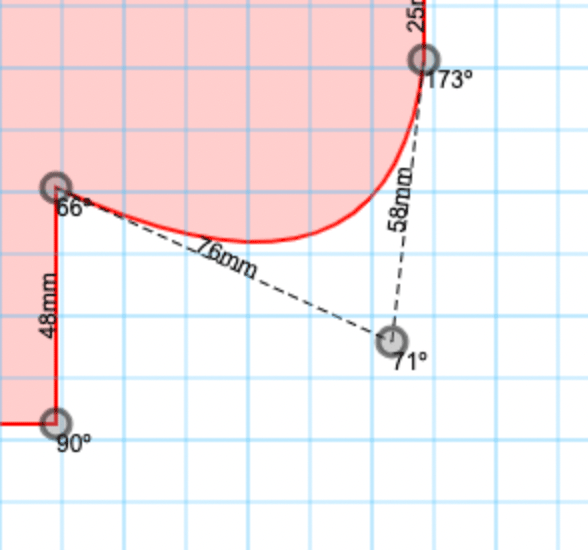
Start by drawing the basic outline with a series of points. You can then select an individual point and convert it into a curve control point. Adjust the curve until it follows the desired contour and continue refining the shape where necessary.
You can use straight lines and smooth curves within the same custom shape. This makes the tool suitable for a wide range of designs, from simple rounded corners to more complex asymmetrical outlines.
The curve controls can be used to:
Round off sharp corners
Create smooth transitions between lines
Follow curved product contours more accurately
Reproduce irregular or organic shapes
Refine a manually drawn cutout
Smooth curves help you create a cleaner-looking foam interior while improving the fit around your equipment. Instead of approximating a rounded product with multiple short straight lines, you can create one continuous curve and adjust it precisely.
This gives you more creative freedom and makes the Draw Your Shape tool even more useful for items that cannot easily be created using standard rectangular or circular cutouts.
Open the Draw Your Shape tool, create the basic outline of your item, and convert the relevant points into curve control points. Adjust each curve until you are satisfied with the result, then position the completed shape inside your foam design.
The animations below demonstrate how easy it is to add, adjust, and refine curves in your custom shape.